Call us at 1800 987 444

Libby
with 4imprint
16 years
Artwork Tips
Our art team is always willing to work with you to make sure your artwork looks amazing on whichever items you choose. Explore this page to learn more about your artwork and how our process works.
Navigate the Artwork Tips Page
How to Send Your Artwork
Send Your Digital File
After you have placed your order, reply to the confirmation email you receive and attach your art file to the email. This ensures that we can match your artwork to the specific order you've placed.
Forgot To Send Your File
That's OK! The customer care representative handling your order will also send an email shortly after your order is placed (during business hours), so you have the chance to submit your file there as another option.
Share Special Instructions
There is an "Additional Instructions" box on the checkout page. Feel free to give us any information you think we might need. Remember, artwork preparation is FREE, and you'll receive a digital or faxed (your choice!) mockup for your approval—at no cost to you—prior to production.
Accepted File Types
We can accept anything: emailed art, faxed art, mailed hard copy, etc. Just send us what you have, and we'll work with you on the rest. Keep in mind that we prefer to receive vector file formats to keep your order moving as fast as possible.
Note: Changing the file name to a vector file extension will not change the file type.
Preferred Vector File Types
PDF (Adobe Acrobat)
• Embed the fonts used or export as generic .eps
AI or EPS (Adobe Illustrator)
• Convert text to outlines; embed any linked images
CDR (Corel Draw)
• Convert text to curves
Other Accepted File Types
DOC, PPT or PUB (Microsoft Office Files)
• Embed or include fonts
BITMAPS (.jpg, .tif, .pcx, .gif, .png, .bmp)
Imprint Types
Applique

Pieces of fabric are sewn onto the item to form the imprint
Deboss
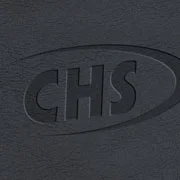
Imprint is depressed into the item's surface
Deep Etch

Imprint is sandblasted, creating a deep frosted look
Emboss

Imprint is raised onto the item's surface
Embroidery
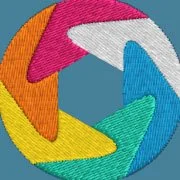
Computerized sewing machines stitch the imprint onto item
Foil Stamp

Metallic foil resins are applied to the item's surface to form the imprint
Full Colour

Imprint is printed in CMYK, allowing for the use of photos
Heat Transfer

Heat is used to thermally bond imprint onto the item's surface
Laser Engraving
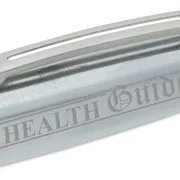
Imprint is etched into the item via a laser
Pad Print

Imprint is transferred to the item via an inked flexible pad
Satin Etch

With use of acid on glass, this gives the imprint a frosted look
Screen Print

Ink is pressed through a screen onto the item's surface
How to Convert Text to Outlines
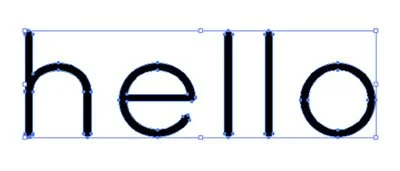
If working in Illustrator or other graphics programs, you will want to convert your text to outlines prior to sending the file. This ensures that your font does not get substituted and we will be able to keep your artwork exactly as you submit it.
To do this, go to the menu at the top of the Illustrator program. Click on "Type" and go down to "Create Outlines." You may also select the artwork and press Ctrl + Shift + O. Then save and send us the file.
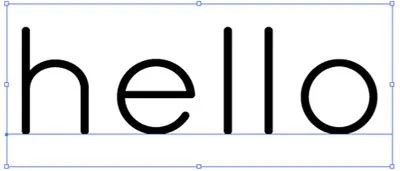
Before
After
Raster vs. Vector
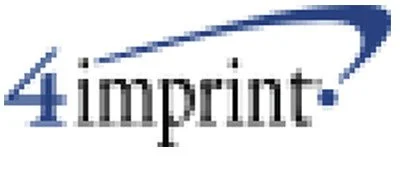
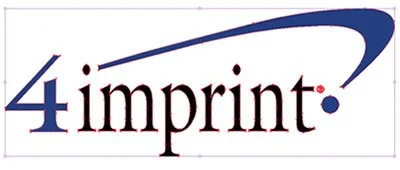
Raster files are made up of pixels and are commonly called bitmaps.
Vector files use coordinates to create shapes with points and lines. This file type maintains high image quality at any size.
Raster
Vector
Full-Colour Artwork
Resolution
Your file must be at least 300dpi or vector art. If your image is below 300dpi, please do not increase the resolution. This will result in a very blurry, pixelated image. Ideal full-colour artwork will be 300dpi or higher at the size it will be printed.
Bleed
The bleed area runs along the edges of your document. You will want to extend any background image or colour all the way to the edge, and slightly past it, to prevent white borders from showing.
Web Images
When images are taken from a website, they are typically 72dpi. This resolution is not high enough for printing purposes. You may also run into copyright restrictions when using web images, so we do not recommend using these in your artwork. The only exception would be if the image were purchased from a stock photo website at a large resolution.